Your medicine cabinet, finally in order
What you have, how much is left, when it expires, and who needs to take what today. All in one place, private to your devices.
Coming soon to the App Store
Most medicine cabinets have the same problem
Boxes get mixed up. Nobody knows what has expired. You have three packs of one medicine, while the one you actually need has run out. Digging through the cabinet at midnight wondering whether you still have a painkiller. Not knowing whether your mother took her medicine. Throwing away a box because it expired before anyone used it.
Medicine Cabinet was built to bring order to all of that.
Six things it does
Expiry tracking
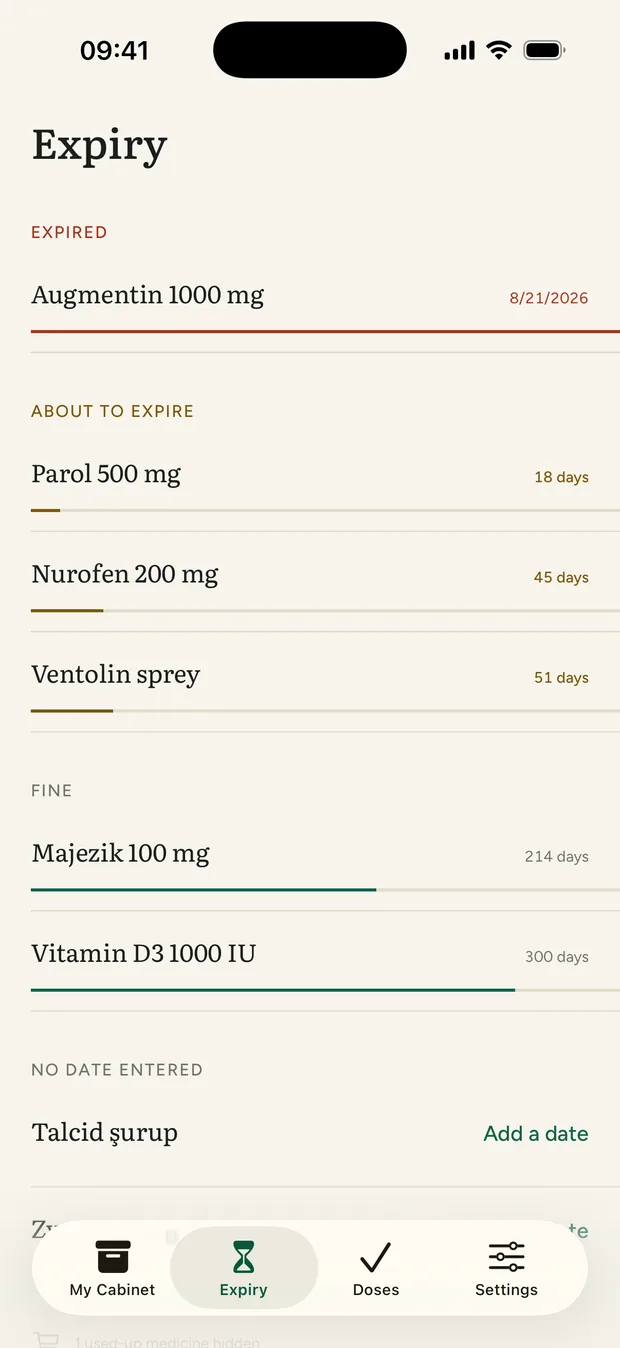
The Expiry tab sorts your medicines and vitamins into four groups: expired, expiring soon, plenty of time left, and no date entered. Expired ones turn red, those with less than ninety days left turn amber, and the rest show a green timeline underneath.
A notification arrives thirty days before the date and again on the day itself. You pick the notification time.
Add by scanning the box
Scan the Data Matrix code on the box and the expiry date and batch number are filled in automatically. If the medicine is in the app's offline database, its name is filled in too.
Licensed medicine boxes in Türkiye carry this code. Cosmetics, food supplements and imported products usually don't; you enter those by hand.
Dose reminders
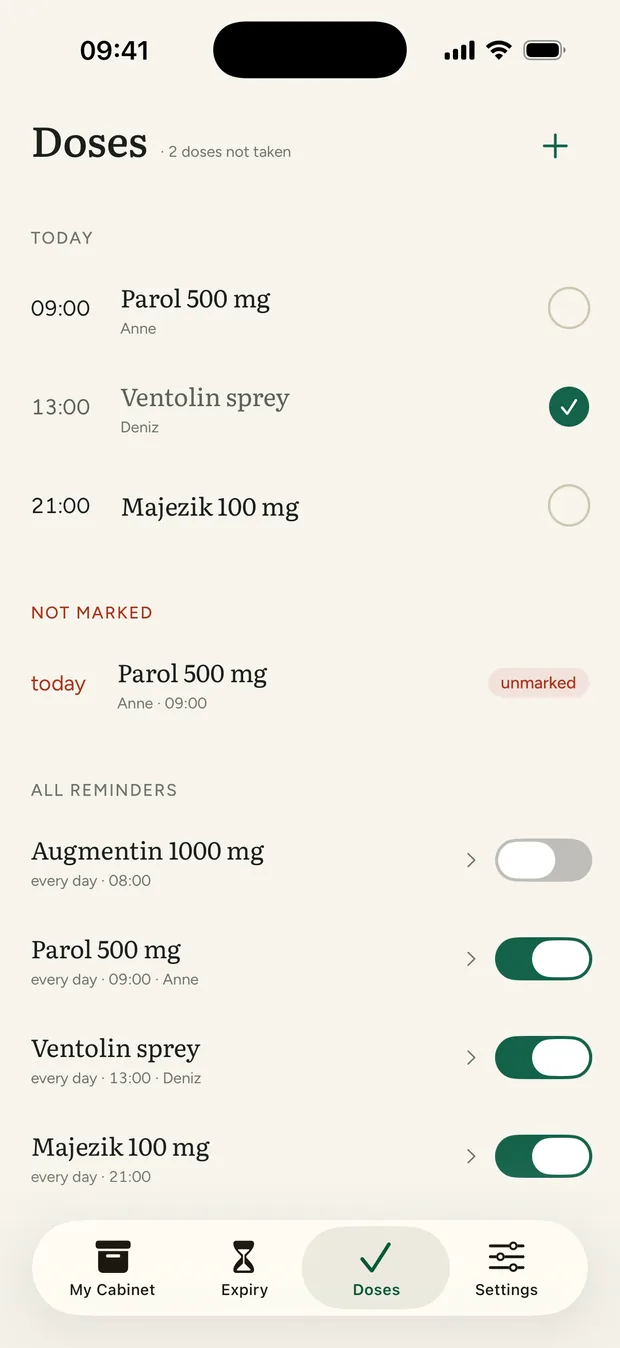
Choose the time, the days, and how many doses to deduct from stock each time. When it's time, you get a notification. Mark the dose as taken and the stock updates automatically. If you don't mark it, a second reminder follows after a delay you choose.
For syrups, drops, and sprays, the app doesn't count individual doses. Reminders still work; you simply mark the item as finished when it runs out.
Search by symptom
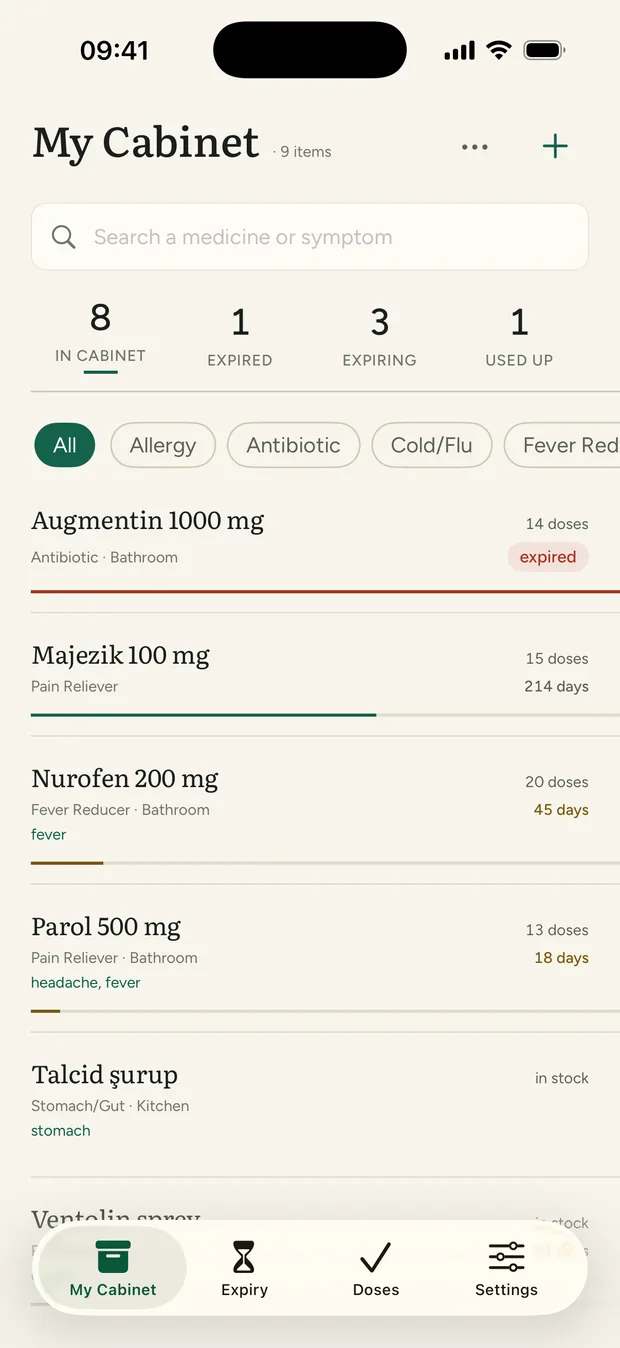
Type "headache" and see the medicines you've tagged for it. No digging through boxes.
Medicine Cabinet is not a recommendation engine. It only searches the names, categories and uses you entered yourself; it does not contain active-ingredient or drug-interaction data.
Family
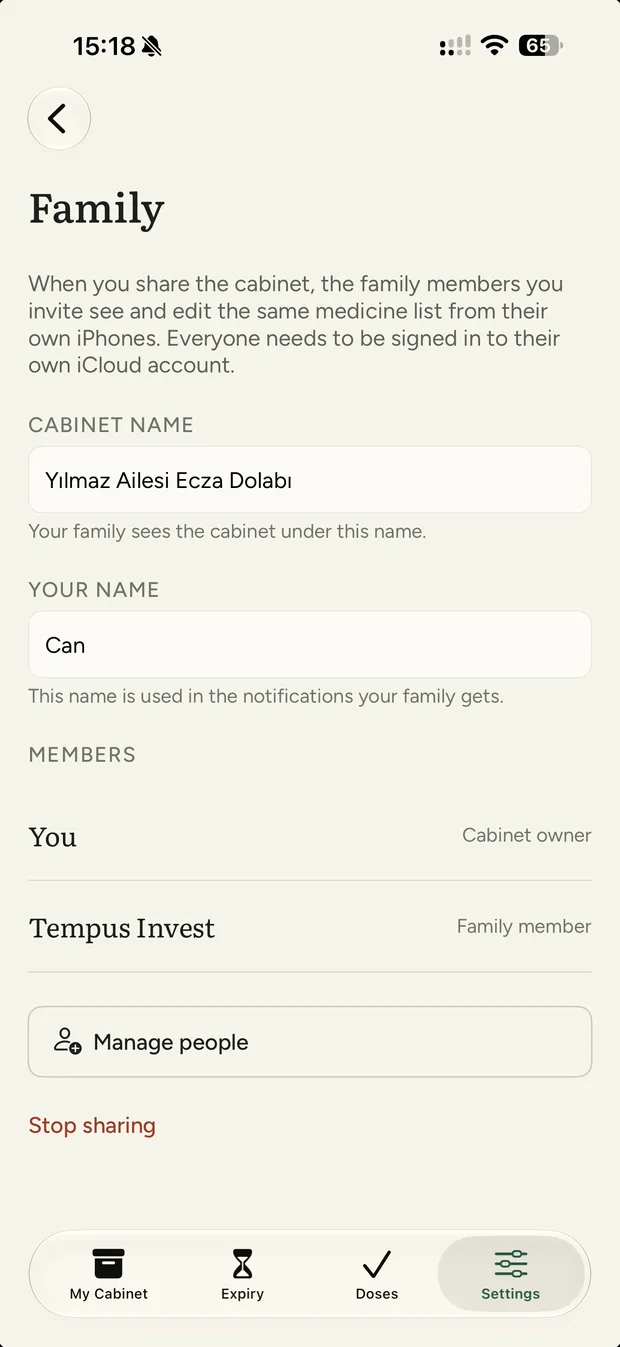
You can share the cabinet with your family. Everyone sees the same list. Each dose is assigned to a person, who can choose who is allowed to mark it as taken. If you want, turn on "Notify family if dose isn't marked". If the dose is missed, the other family members receive a notification.
Sharing needs everyone signed in to their own iCloud account. You can stop sharing whenever you want, and the data stays with you.
Pharmacy list
Medicines that are used up, running low, expired, or on your essentials list but missing from the cabinet automatically appear together in one list. Each item shows why it was added. You can also add items by hand.
Family members can add to the list too, and the cabinet's owner gets a notification when they do. Use the list at the pharmacy or share it directly in a message.
What it looks like
A few more things
- Home screen widget. Shows today's doses and upcoming expiry dates, and you can mark a dose without opening the app.
- Siri. Understands requests like "search the cabinet", "today's doses" or "expired medicines" and answers you.
- Undo. Delete something by mistake and an Undo bar briefly appears at the bottom of the screen.
- Automatic backup. Once a day, the app creates a local backup and keeps the seven most recent copies. You can restore them from Settings, and the latest backup can be exported to Files or iCloud Drive.
- Essentials list. Medicines you always want in the house. If one is missing, a warning appears on the main screen and it lands on the pharmacy list.
- Archive. Remove a medicine you no longer use from the main list without deleting its record.
- Dark mode, large text and VoiceOver labels. You can raise the text size all the way up and the interface grows with it.
Where your data lives
With you. And only you.
Medicine Cabinet has no server, no account, no ads, no analytics. It uses no third-party libraries. Your medicines stay on your device, and in your own iCloud account if you choose. As the developer, I have no access to this data; the app simply provides no way for me to reach it.
The barcode table also lives inside the app. A code you scan never goes to any server. That is why the App Store privacy card says "Data Not Collected". Read the full privacy policy →
You buy it once
One-time purchase on the App Store. No subscription, no paid tier, no trial, no in-app purchases. No features will be moved behind a paywall later, either. The app has no in-app payment system at all.
Medicine Cabinet is not a medical device or a health app. It does not diagnose, does not suggest treatment or doses, and does not check drug interactions. It only organizes the information you enter and reminds you about it. For every decision about your medicines, talk to your doctor or pharmacist. Do not rely on this app alone for vital medicines.
Matching a medicine name from its barcode uses an offline table built from the Licensed Medicinal Products for Human Use list published by Türkiye's medicines authority, TİTCK. The table is refreshed with app updates; for current and accurate information, check TİTCK's own sources. Medicine Cabinet is not an official TİTCK product and has no ties to TİTCK.